ClickHouse
Events can be sent to a ClickHouse table using the clickhouse sink type.
Like all Sinks, ClickHouse sinks can be created in the Stream Portal…
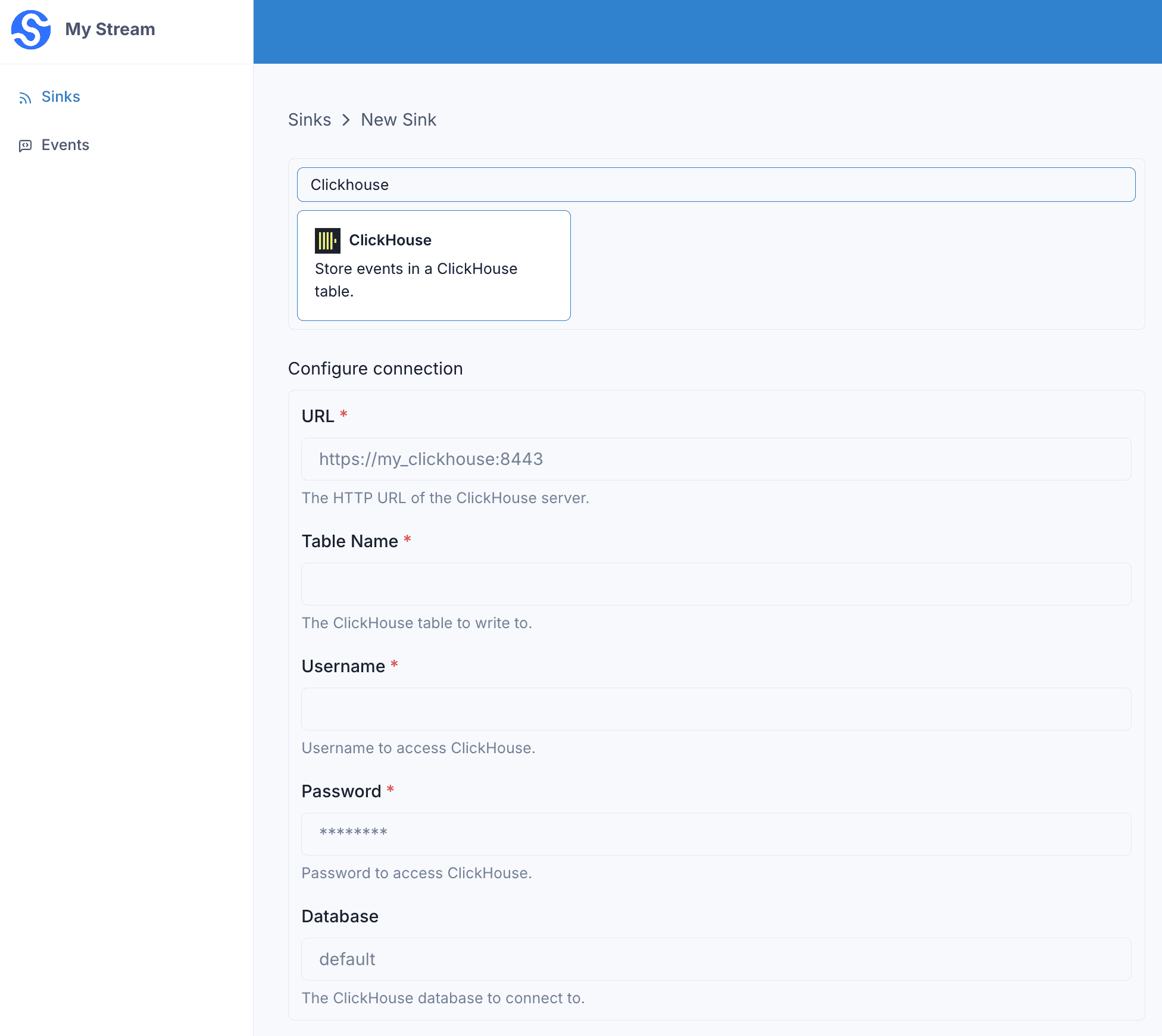
… or in the API .
curl -X 'POST' 'https://api.svix.com/api/v1/stream/strm_30XKA2tCdjHue2qLkTgc0/sink' \
  -H 'Authorization: Bearer AUTH_TOKEN' \
  -H 'Content-Type: application/json' \
  -d '{
  "type": "clickhouse",
  "config": {
    "url": "https://my-clickhouse.example.com:8443",
    "username": "default",
    "password": "*******",
    "database": "default",
    "tableName": "events"
  },
  "uid": "unique-identifier",
  "status": "enabled",
  "batchSize": 1000,
  "maxWaitSecs": 300,
  "eventTypes": [],
  "metadata": {}
}'
Every event batch is inserted into the configured ClickHouse table.
url— the HTTP URL of your ClickHouse server (e.g.https://my-clickhouse.example.com:8443).username,password— the credentials used to authenticate.tableName— the table that receives the rows.database— the database that contains the table. Defaults todefault.
Destination table
Without a transformation, Svix inserts each event’s payload directly into the table using ClickHouse’s JSONEachRow format. The top-level fields of each payload must match the columns of your table.
The table must already exist before you enable the sink. For example, for payloads shaped like {"email": "...", "username": "..."}, create the table with:
CREATE TABLE events (
  email String,
  username String
)
ENGINE = MergeTree()
ORDER BY tuple();
Unlike some other warehouse Sinks, ClickHouse does not add any columns of its own — you define the full schema, and the payload fields are matched to it by name.
Transformations
If your payloads don’t already match your table’s columns, add a transformation that returns the rows to insert. Each row is an object whose keys match your table’s columns.
/**
 * @param input - The input object
 * @param input.events - The array of events in the batch. The number of events in the batch is capped by the Sink's batch size.
 * @param input.events[].payload - The message payload (string or JSON)
 * @param input.events[].eventType - The message event type (string)
 *
 * @returns Object describing the rows to insert.
 * @returns returns.rows - The array of rows to insert. Each row is an object whose keys match the columns of your ClickHouse table.
 */
function handler(input) {
    const rows = input.events.map((event) => ({
        email: event.payload.address,
        username: event.payload.handle
    }));

    return { rows };
}
input.events matches the events sent in create_events.
Each entry in the returned rows array is inserted as a separate row using JSONEachRow, so the object keys must match the column names of your table.
For example, if the following events are written to the stream:
curl -X 'POST' \
  'https://api.svix.com/api/v1/stream/{stream_id}/events' \
  -H 'Authorization: Bearer AUTH_TOKEN' \
  -H 'Accept: application/json' \
  -H 'Content-Type: application/json' \
  -d '{
        "events": [
            {
                "eventType": "user.created",
                "payload": "{\"address\": \"joe@enterprise.io\", \"handle\": \"joe\"}"
            },
            {
                "eventType": "user.created",
                "payload": "{\"address\": \"amy@enterprise.io\", \"handle\": \"amy\"}"
            }
        ]
    }'
The transformation above inserts two rows into your table, mapping each payload’s address and handle fields onto the email and username columns.
email | username |
|---|---|
joe@enterprise.io | joe |
amy@enterprise.io | amy |