Snowflake
Events can be sent to a Snowflake table using the snowflake sink type.
Like all Sinks, Snowflake sinks can be created in the Stream Portal…
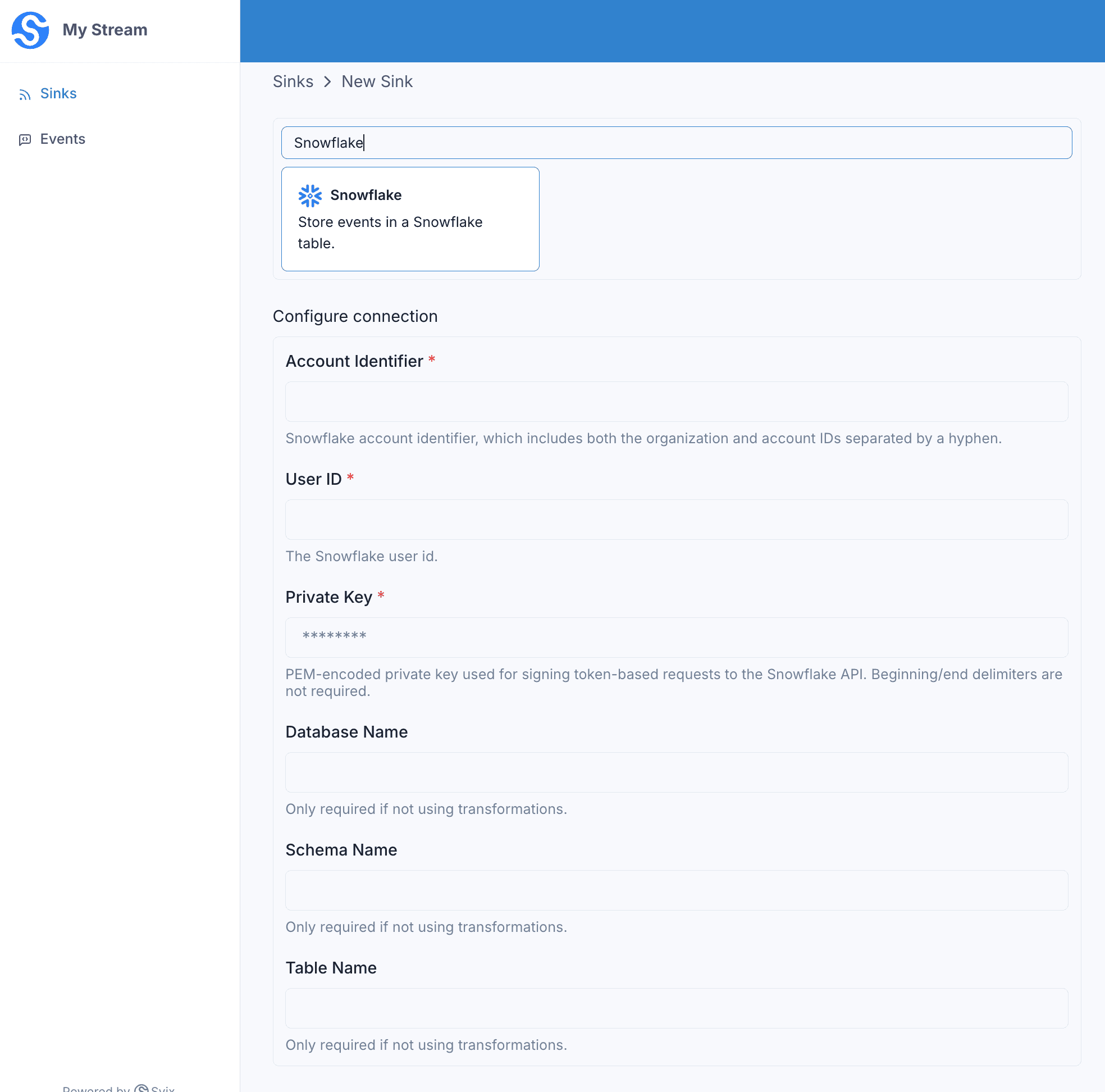
… or in the API .
curl -X 'POST' 'https://api.svix.com/api/v1/stream/strm_30XKA2tCdjHue2qLkTgc0/sink' \
  -H 'Authorization: Bearer AUTH_TOKEN' \
  -H 'Content-Type: application/json' \
  -d '{
  "type": "snowflake",
  "config": {
    "accountIdentifier": "ab12345-xs67890",
    "userId": "my_user",
    "privateKey": "-----BEGIN PRIVATE KEY-----\nMII...bj5Nxr\n-----END PRIVATE KEY-----\n",
    "dbName": "my_database",
    "schemaName": "my_schema",
    "tableName": "my_table"
  },
  "uid": "unique-identifier",
  "status": "enabled",
  "batchSize": 1000,
  "maxWaitSecs": 300,
  "eventTypes": [],
  "metadata": {}
}'
Every event batch written to your stream is inserted into the configured Snowflake table.
Authentication
Svix authenticates to Snowflake using key-pair (JWT) authentication . Generate an RSA key pair, assign the public key to a Snowflake user, and provide the matching private key in the sink config.
The config takes three credential fields:
accountIdentifier— your Snowflake account identifier in<organization>-<account>form (e.g.ab12345-xs67890).userId— the Snowflake user the public key is assigned to.privateKey— the PEM-encoded private key.
Destination table
Without a transformation, Svix inserts each event into the table identified by dbName, schemaName, and tableName using three columns: id, created_at, and payload. Svix generates a unique id for each row, sets created_at to the insert time, and writes the raw event payload to payload.
The table must already exist before you enable the sink, which you can create with the following sql:
CREATE TABLE my_database.my_schema.my_table (
  id TEXT,
  created_at TIMESTAMP,
  payload TEXT
);
If you use a transformation (below), you control the SQL that runs, so dbName, schemaName, and tableName become optional — the target table is named directly in your statement.
Transformations
Snowflake Sinks shape each event batch into a SQL INSERT statement. The transformation returns the statement to run and the bindings it references.
For example, suppose you have a table with the following structure:
CREATE TABLE testdb.testschema.users (
  name TEXT,
  age INT
);
With these events written to the stream:
curl -X 'POST' \
  'https://api.svix.com/api/v1/stream/{stream_id}/events' \
  -H 'Authorization: Bearer AUTH_TOKEN' \
  -H 'Accept: application/json' \
  -H 'Content-Type: application/json' \
  -d '{
    "events": [
        {
            "payload": "{\"name\": \"John Smith\", \"age\": 34}",
            "eventType": "user.created"
        },
        {
            "payload": "{\"name\": \"Jane Doe\", \"age\": 47}",
            "eventType": "user.created"
        }
    ]
}'
To insert the new users into your testdb.testschema.users table, you’d write transformation code as follows:
/**
 * @param input - The input object
 * @param input.events - The array of events in the batch. The number of events in the batch is capped by the Sink's batch size.
 * @param input.events[].payload - The event payload (string or JSON)
 * @param input.events[].eventType - The event type (string)
 *
 * @returns Object describing the SQL to run against Snowflake.
 * @returns returns.statement - The SQL statement to execute. Reference bindings by name (e.g. :id), matching the keys in `bindings`.
 * @returns returns.bindings - The bindings referenced by the statement. Each binding has a Snowflake `type` (e.g. "TEXT") and a column-oriented `value` array with one entry per row in the batch.
 */
function handler(input) {
    let bindings = {
        "name": { "type": "TEXT", "value": [] },
        "age": { "type": "FIXED", "value": [] },
    };

    input.events.forEach((event) => {
        let name = event.payload.name;
        let age = String(event.payload.age); // Note that Snowflake requires all values be sent as Strings
        bindings.name.value.push(name);
        bindings.age.value.push(age);
    });

    return {
        bindings: bindings,
        statement: "INSERT INTO TESTDB.TESTSCHEMA.users (name, age) VALUES (:name, :age);"
    };
}
input.events matches the events sent in create_events.
bindings are column-oriented: each binding lists a Snowflake type and a value array holding one entry per row in the batch. The statement references them by name (:name and :age). For more information which types are allowed, see Using bind variables in a statement.
Because the statement names the table directly, dbName, schemaName, and tableName are optional when a transformation is set. To write different columns, adjust the bindings, the statement, and your table to match.
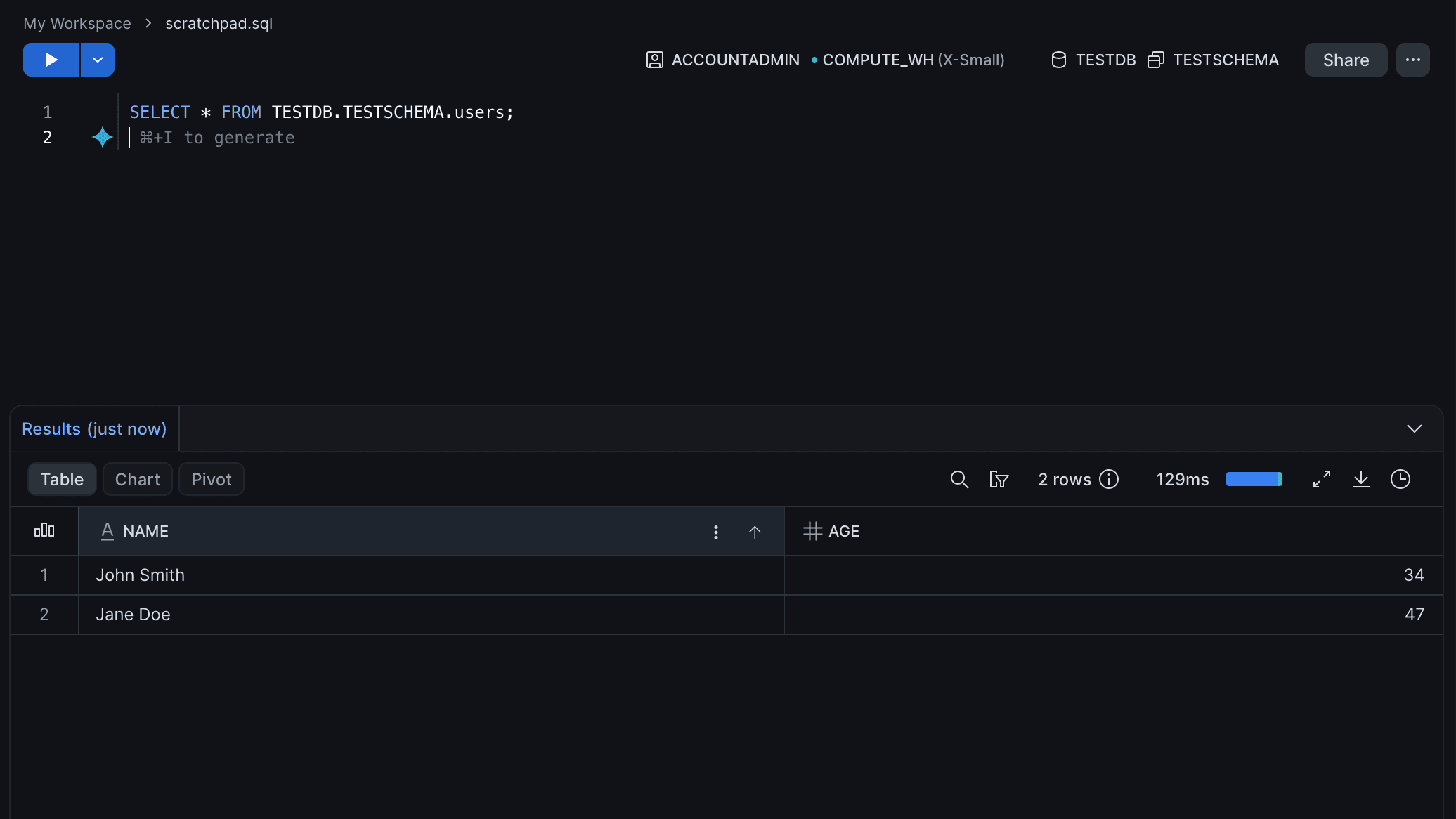
The transformation above would insert two rows into your table.