Webhooks AutoConfig
Webhooks AutoConfig is an easier way to configure and consume webhooks.
With AutoConfig, webhook consumers can set their webhook endpoint URL, event types, and other configuration in code and AutoConfig will automatically ensure their settings are up to date. Configuration automatically changes when their code changes without needing to go to the UI and reconfigure the endpoint.
How it works
When AutoConfig is enabled in your environment, your users will be able to choose it as an option when creating an endpoint in the Application Portal.
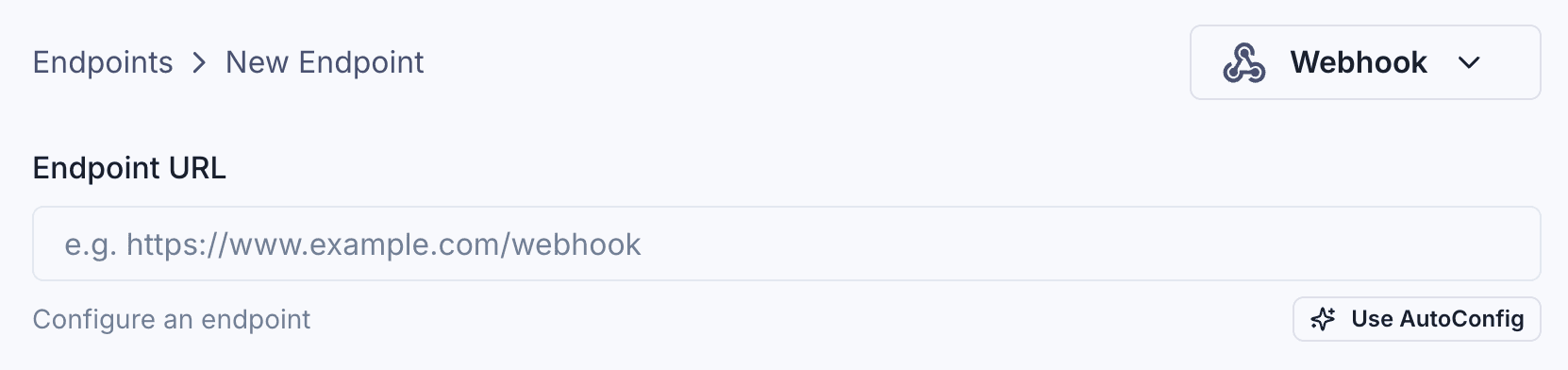
The portal will issue an AutoConfig token, which can be used to configure the endpoint with the AutoConfig SDK.
The AutoConfig token also contains the endpoint signing secret, so the same instance can be used to verify webhook signatures.
Here’s an example of how this looks like in code:
import { AutoConfig } from "svix";

const webhook = new AutoConfig(AUTO_CONFIG_TOKEN, {
  eventTypes: ["invoice.paid", "user.created"],
  url: "https://api.us.example.com/webhooks/acme",
});

// Update the endpoint configuration
await webhook.subscribe();

// Same AutoConfig instance can be used to verify webhook signatures
const isVerified = webhook.verify(payload, headers);
To update the endpoint configuration, your customers simply need to change the AutoConfig options and call subscribe() again, which can be done as part of their
application startup or deployment process.
No manual steps in the Application Portal UI are needed, so the configuration is always in sync with the latest version of the application code.
For more information on how to receive webhooks using AutoConfig, see Receiving with Webhooks AutoConfig.