Advanced Destinations
Svix supports multiple types of destinations in addition to regular webhook endpoints, to support different use cases.
- Polling Endpoints
- FIFO Endpoints
- Object Storage
- OpenTelemetry Tracing
- Snowflake
- RabbitMQ
- Amazon EventBridge
- Amazon SNS
- Amazon SQS
- Google BigQuery
- ClickHouse
- Amazon Redshift
Enabling Advanced Destinations
Advanced Destinations can be enabled at the environment level in the Svix Dashboard .
You can choose the individual advanced destinations you’d like to make available to your customers.
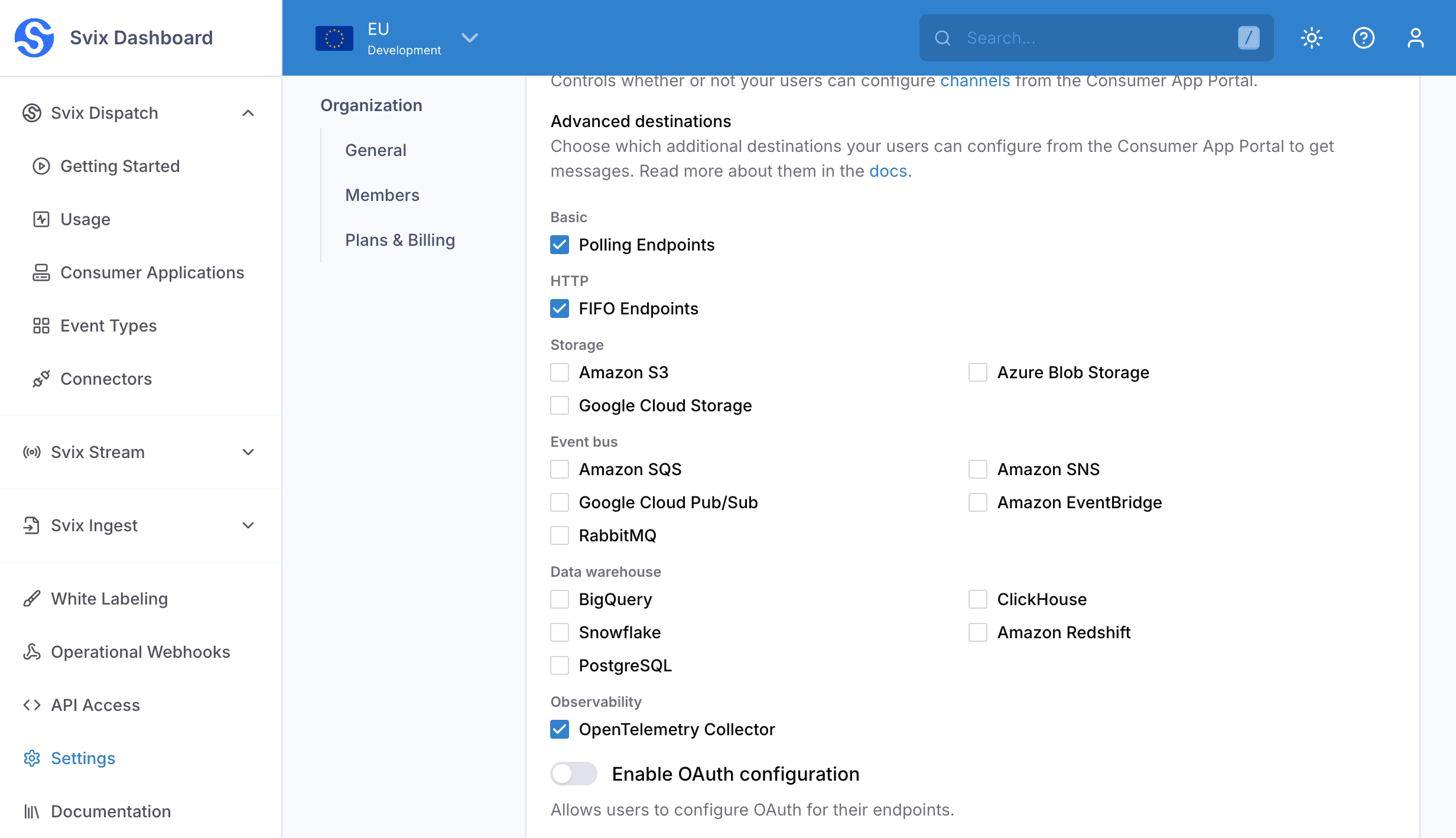
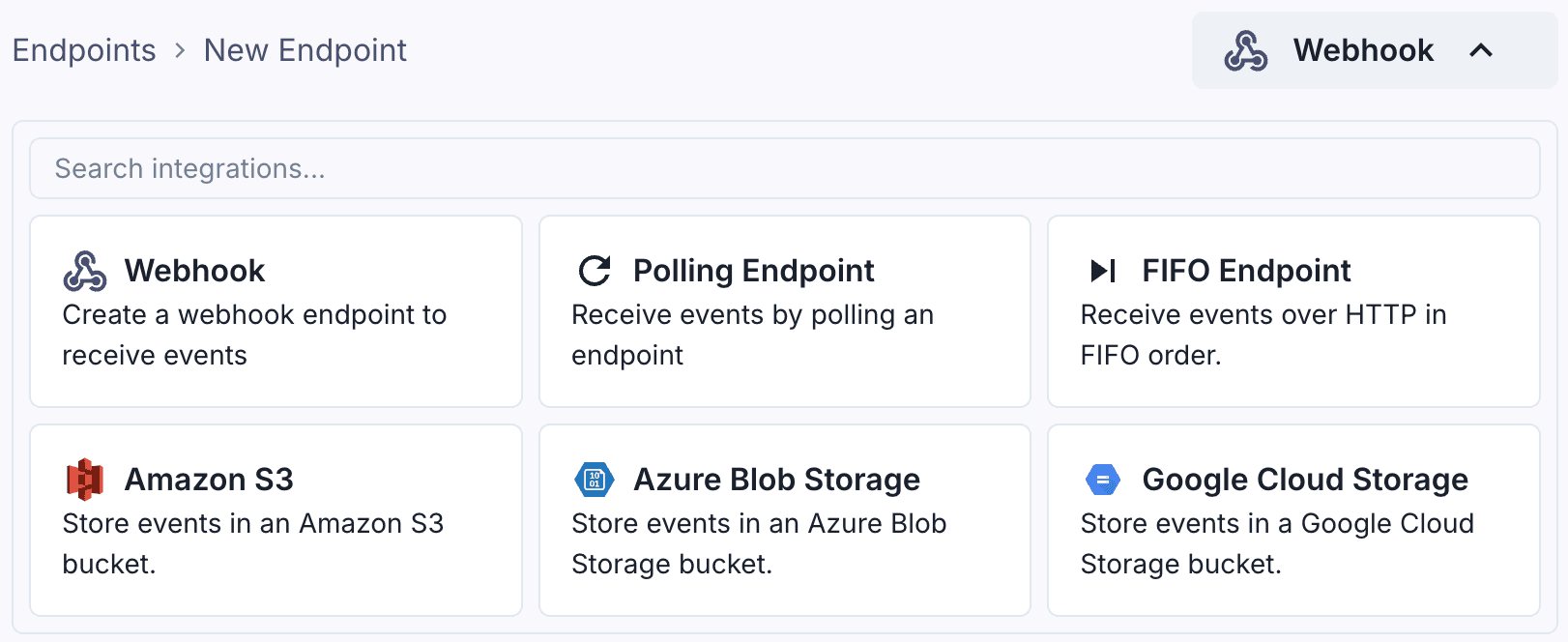
When you enable Advanced Destinations, your users will be able to create them in the Application Portal.
Using the API
Like regular endpoints, Advanced Destinations can managed by your users via the Application Portal, or through the Svix API.
The destination API can be used to create, update, and delete Advanced Destinations. Here is an example of how to create an Amazon S3 destination using the create destination API :
import { DestinationStatusIn, Svix } from "svix";

const svix = new Svix("auth_token");
const dest = await svix.destination.create("example-customer-123", {
  uid: "unique-identifier",
  status: DestinationStatusIn.Enabled,
  batchSize: 100,
  maxWaitSecs: 10,
  type: "amazonS3",
  config: {
    bucket: "my-s3-bucket-name",
    region: "us-west-2",
    accessKeyId: "ACCESS_KEY",
    secretAccessKey: "SECRET_KEY",
  },
});Using the API can be useful in cases where you are implementing your own Consumer App Portal functionality, or if you want to create a destination on behalf of your customers programmatically.