Custom Domains
Important
Custom Domains are only available as part of the Professional and Enterprise tiers. Please refer to the pricing page for more information.
Svix supports using customer-owned domains in order to provide an experience that more closely matches your brand. Svix will present and route traffic through customer-owned domains for the following services:
- Ingest: Svix can receive messages from external systems and turn them into Svix-managed webhooks; a custom domain of this type will be used for both new and existing sources
- Application Portal: Links to the application portal (which is exposed to your users) will use a custom domain
- Event Catalog: The organization’s event catalogs (listings for your users of available event schemata) will be served on a custom domain
- Polling Endpoints: Polling endpoints will be served on a custom domain
- MCP: The Svix MCP endpoint for AI agents will be displayed on the custom domain specified
The Application Portal and Event Catalog domains are global in nature. So, for example, all Svix regions will return app portal links using the global Application Portal custom domain you define.
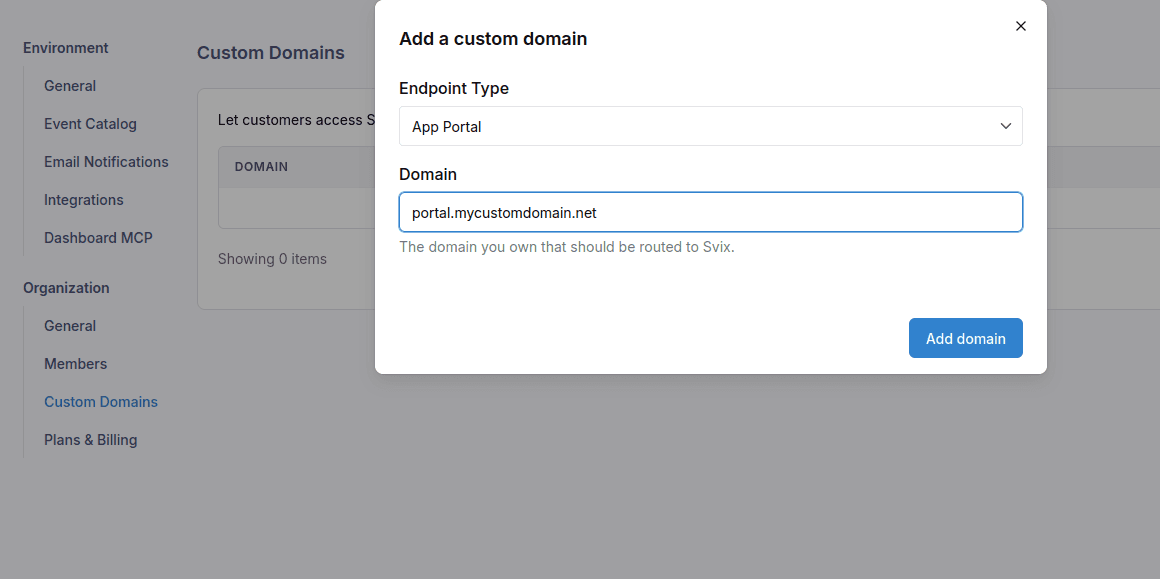
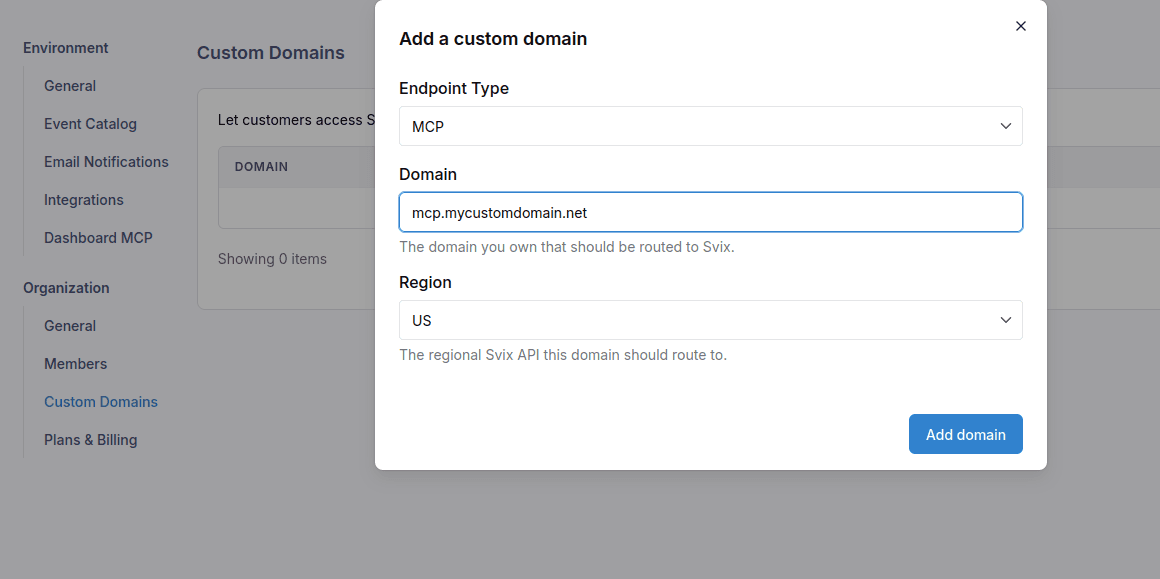
For services that are regional, you will need to indicate for a given domain which region traffic should be forwarded to. Only Svix resources in the particular region defined will use the relevant custom domain.
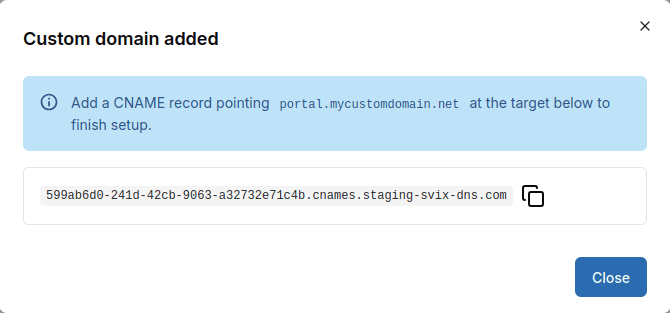
Once you’ve added a domain, you’ll need to create a CNAME in your own DNS zone that points to the Svix-generated URL.
The Svix backend will poll to confirm DNS resolves as expected. Once Svix can confirm that your DNS record is configured correctly, Svix will issue a TLS certificate and allow traffic to forward from your custom domain to the appropriate Svix endpoint.
Once a domain is active, it will show up in your Custom Domains list along with its CNAME target and status.
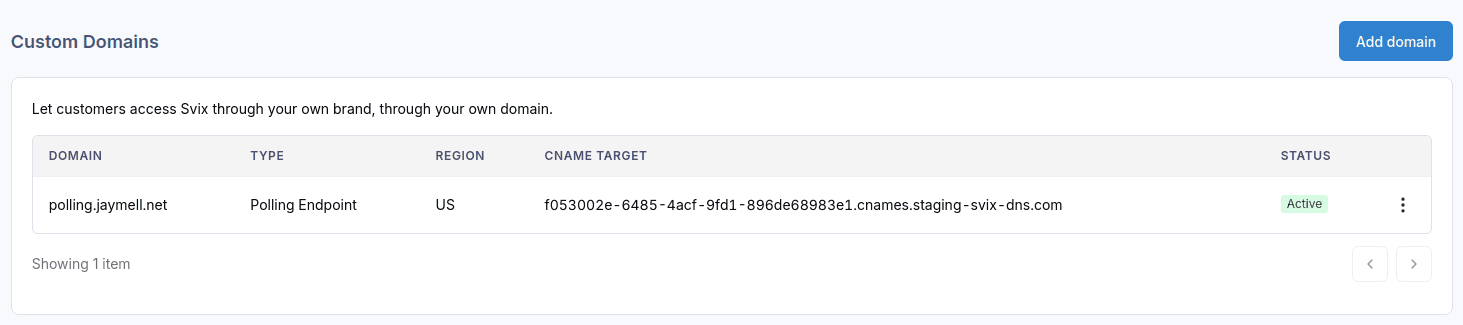
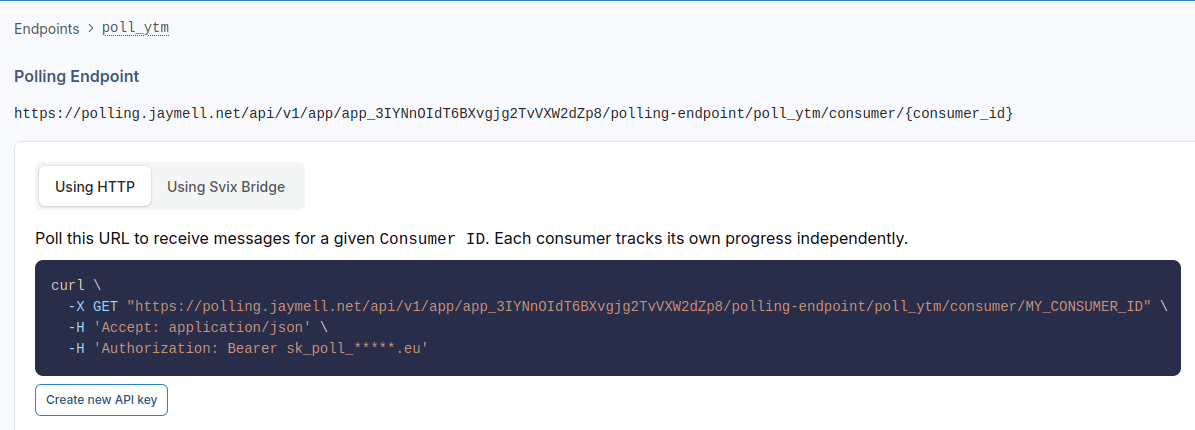
The custom domain will then be displayed and used in place of Svix domains. Here is an example of a Polling Endpoint displayed using a custom domain:
You can temporarily disable your custom domains as needed, which will disable forwarding traffic from the custom domain to Svix. Custom domains can be deleted as well, which will disable forwarding and delete the issued TLS certificates.
Note on HIPAA Compliance
As of now, custom domains may send traffic to servers outside of your selected region. Custom domains for Ingest and Polling Endpoints are not covered by the Svix BAA for HIPAA purposes. Please reach out to your account manager or contact Support if you need this coverage.