ElasticSearch / OpenSearch
Svix can deliver webhooks directly to an ElasticSearch or OpenSearch index, without your customers having to set up any listener endpoint or write any glue code.
When Advanced Destinations is enabled, your customers will see the option to use an ElasticSearch destination in the App Portal.
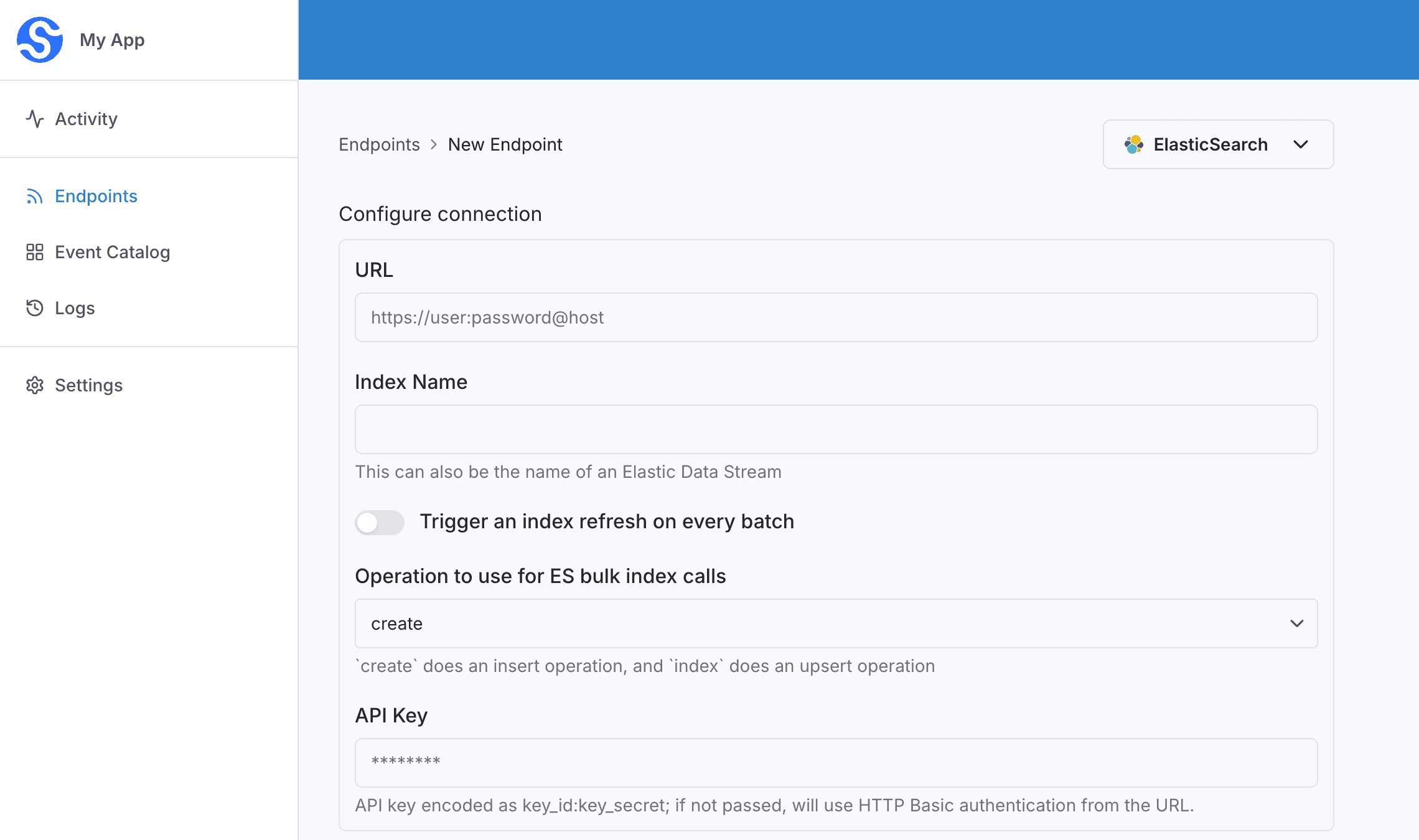
They will be able to configure the connection right in the App Portal:
url— the base URL to send indexing requests (e.g.https://user:password@host:9200), without the/{index}/_bulksuffix.indexName— the index that receives the documents. This can also be a data stream .apiKey— an API key encoded askey_id:key_secret. Optional. If omitted, Svix uses the username and password embedded in the URL. If neither is set, indexing is unauthenticated.refresh— when enabled, Elasticsearch refreshes the affected shards so this batch is visible to search. Defaults to off.operation— the bulk action to use.createinserts the document and does nothing if that ID already exists (the default).indexupserts by document ID. Data streams only supportcreate.
Every webhook in the batch is indexed as a document using a bulk index operation .
Transformations
By default, all ElasticSearch Destinations come bundled with the following transformation code.
/**
 * @param input - The input object
 * @param input.events - The array of webhooks in the batch. The number of webhooks in the batch is capped by the destination's batch size.
 * @param input.events[].payload - The message payload (string or JSON)
 * @param input.events[].eventType - The message event type (string)
 *
 * @returns Object containing a series of documents to index
 * @returns returns.documents - Array of index requests
 * @returns returns.documents[].document - A JSON object of the document to index.
 * @returns returns.documents[].id - An optional string to use as the document ID in ElasticSearch
 */
function handler(input) {

  const documents = input.events.map((event) => ( { document: event.payload }));

  return {
    documents
  };
}
input.events is the list of webhooks received by the destination, processed in batches.
The returned object contains a single key (documents) with an array of JSON objects. Each entry has a document object to index, and may include id, which is used as the document ID in ElasticSearch. If id is omitted, Svix generates one.
The default transformation copies each webhook payload into ElasticSearch as its own document.
For example, if the destination receives the following messages:
{
  "eventType": "user.created",
  "payload": "{\"email\": \"joe@enterprise.io\"}"
}
{
"eventType": "user.login",
"payload": "{\"id\": 12, \"timestamp\": \"2025-07-21T14:23:17.861Z\"}"
}The default transformation indexes two documents:
{"email": "joe@enterprise.io"}{"id": 12, "timestamp": "2025-07-21T14:23:17.861Z"}To set the document ID, include id on each entry in documents.