ClickHouse
Svix can deliver webhooks directly to a ClickHouse table, without your customers having to set up any listener endpoint or write any glue code.
When Advanced Destinations is enabled, your customers will see the option to use a ClickHouse destination in the App Portal.
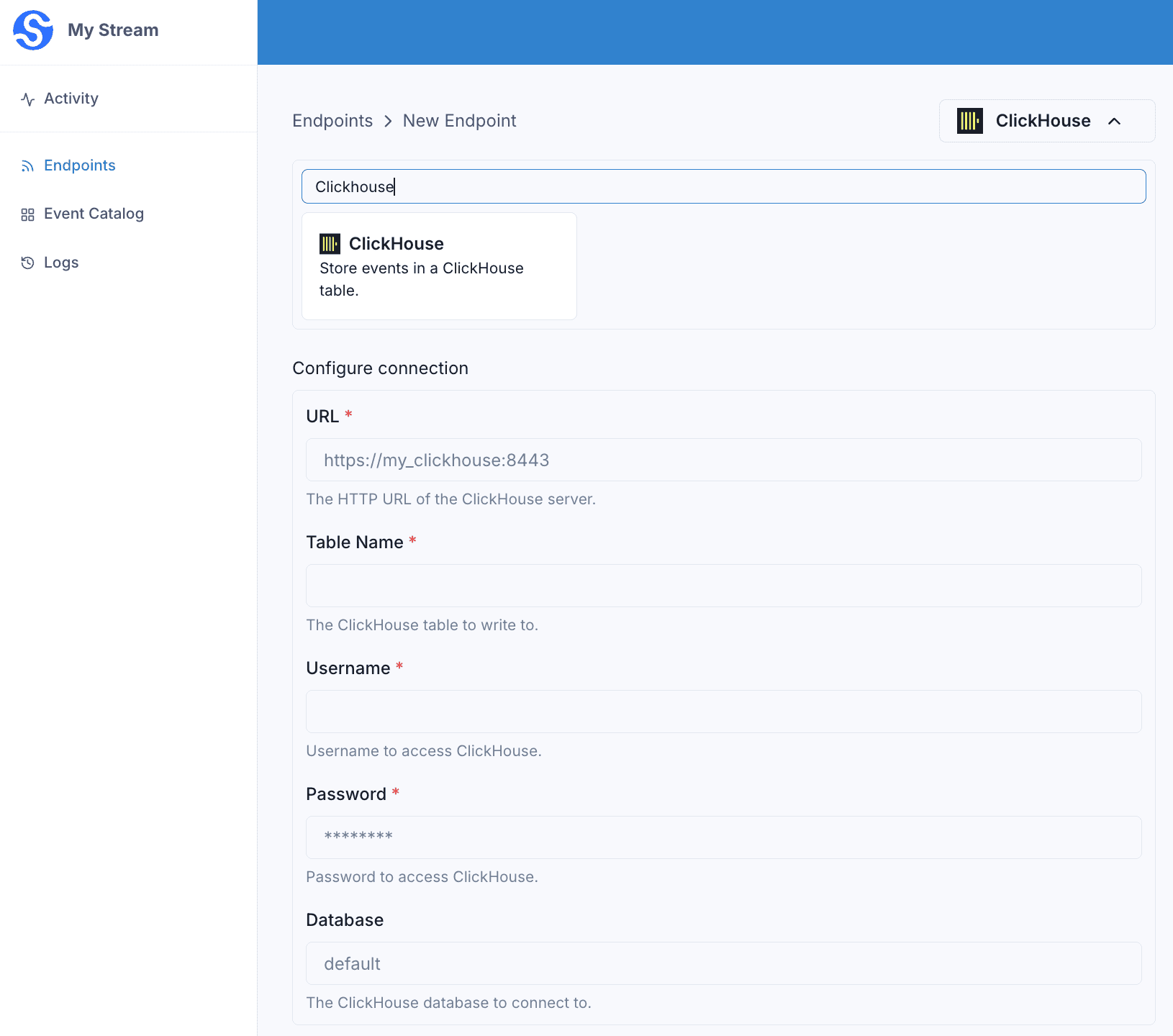
They will be able to configure the connection right in the App Portal:
url— the HTTP URL of your ClickHouse server (e.g.https://my-clickhouse.example.com:8443).username,password— the credentials used to authenticate.tableName— the table that receives the rows.database— the database that contains the table. Defaults todefault.
Every batch of webhooks received by the endpoint is inserted into the configured ClickHouse table.
Destination table
Without a transformation, Svix inserts each webhook’s payload directly into the table using ClickHouse’s JSONEachRow format. The top-level fields of each payload must match the columns of your table.
The table must already exist before you enable the endpoint. For example, for payloads shaped like {"email": "...", "username": "..."}, create the table with:
CREATE TABLE events (
  email String,
  username String
)
ENGINE = MergeTree()
ORDER BY tuple();
Unlike some other warehouse destinations, ClickHouse does not add any columns of its own — you define the full schema, and the payload fields are matched to it by name.
Transformations
If your payloads don’t already match your table’s columns, add a transformation that returns the rows to insert. Each row is an object whose keys match your table’s columns.
/**
 * @param input - The input object
 * @param input.events - The array of webhooks in the batch. The number of webhooks in the batch is capped by the endpoint's batch size.
 * @param input.events[].payload - The message payload (string or JSON)
 * @param input.events[].eventType - The message event type (string)
 *
 * @returns Object describing the rows to insert.
 * @returns returns.rows - The array of rows to insert. Each row is an object whose keys match the columns of your ClickHouse table.
 */
function handler(input) {
    const rows = input.events.map((event) => ({
        email: event.payload.address,
        username: event.payload.handle
    }));

    return { rows };
}
input.events is the list of webhooks received by the endpoint, processed in batches.
Each entry in the returned rows array is inserted as a separate row using JSONEachRow, so the object keys must match the column names of your table.
For example, if the endpoint receives the following messages:
{
  "eventType": "user.created",
  "payload": "{\"address\": \"joe@enterprise.io\", \"handle\": \"joe\"}"
}
{
"eventType": "user.created",
"payload": "{\"address\": \"amy@enterprise.io\", \"handle\": \"amy\"}"
}The transformation above inserts two rows into your table, mapping each payload’s address and handle fields onto the email and username columns.
email | username |
|---|---|
joe@enterprise.io | joe |
amy@enterprise.io | amy |