Using Svix Stream to send audit logs to customers
In today’s heterogeneous workplace, where employees may be intermingling with LLM-powered AI agents, outside contractors, and vendors in the same set of tools, reliable audit logs are an essential part of doing business. SIEM products like Panther and Splunk can provide a single-pane-of-glass interface on top of these audit logs, and Svix is the essential glue to get data from your system directly to your customers’ SOCs, so that security engineers can easily integrate your logs with the hundreds or thousands of other systems that they might be monitoring. This guide will walk you through exporting audit logs into your customers’ SIEMs.
What Goes Into a Good Audit Log?
Before you can use Svix Streams to send audit logs to your customers, you first need to decide what to put into the log records themselves. Audit logs should capture all security-sensitive actions in your system; at a minimum, you should make sure to emit logs for all user and group activities, and for other key activities in your system that could be used by an attacker. Some examples we’ve seen from our customers:
- Login attempts
- User creations and deletions
- Group membership changes
- Data imports and exports
- Security credential creation (e.g., password or passkey changes, API token creations)
Structuring Your Events
Security Operations Centers work best with wide events and with as much context as possible; JOINs are often expensive or impossible, and alerting rules will typically work on a small window of logs. When emitting audit logs, it’s best to make sure that each individual event contains as much information as possible. While every SIEM vendor has slightly different schemata, we recommend using a common base like the Elastic Common Schema for your audit logs. For example, for a user login, you might have an event like the following:
{
  "@timestamp": "2026-09-07T22:56:32.123Z"
  "event": {
    "action": "user.login-attempt",
    "kind": "event",
    "outcome": "success"
  },
  "ecs": {
    "version": "8.17"
  },
  "user": {
    "id": "123456",
    "email": "foobar@example.com"
  },
  "com.your.product.customfields": {
    "session_expires_at": "2026-09-08T22:56:32+00:00"
  }
}
Note that the @timestamp, event, and ecs keys are all mandatory; the user key contains fields from the ECS user vocabulary , and custom fields can be inserted under a custom top-level key.
It can often be valuable to make each event.action in your logs correspond to a single eventType in Svix so that your customers can use event-type filtering in their stream consumers to only gather the specific events that they want.
Sending Audit Logs
The first step to sending your audit logs is to actually create a stream to receive them. You can do this with the v1.streaming.stream.create API in Svix. You probably want to create one stream for every customer and start feeding events into it right away so that as soon as customers are ready to consume them, they have data populated — Svix will retain un-consumed stream events for two weeks.
You can emit audit logs to the stream directly from your application code using the Svix client libraries to call the v1.streaming.events.create API. You don’t need to worry about batching them for easy ingestion; our backend will take care of batching, retries, and all similar other concerns.
Consuming Audit Logs
Once your streams are set up and being populated with data, the next step is for your users to start consuming these logs.
Svix provides a self-service app portal where customers can configure their own sinks. For many SIEMs, the fastest way to get started is for your customers to use one of the object storage outputs like Amazon S3 or Google Cloud Storage to write stream events to newline-delimited JSON in a bucket, and then point their SIEM at that bucket to ingest the logs. The customer can then configure their own retention and deletion-lock rules on that bucket to make sure that the data meets their retention guidelines. For example, in Panther, users could configure an “S3 Source”.
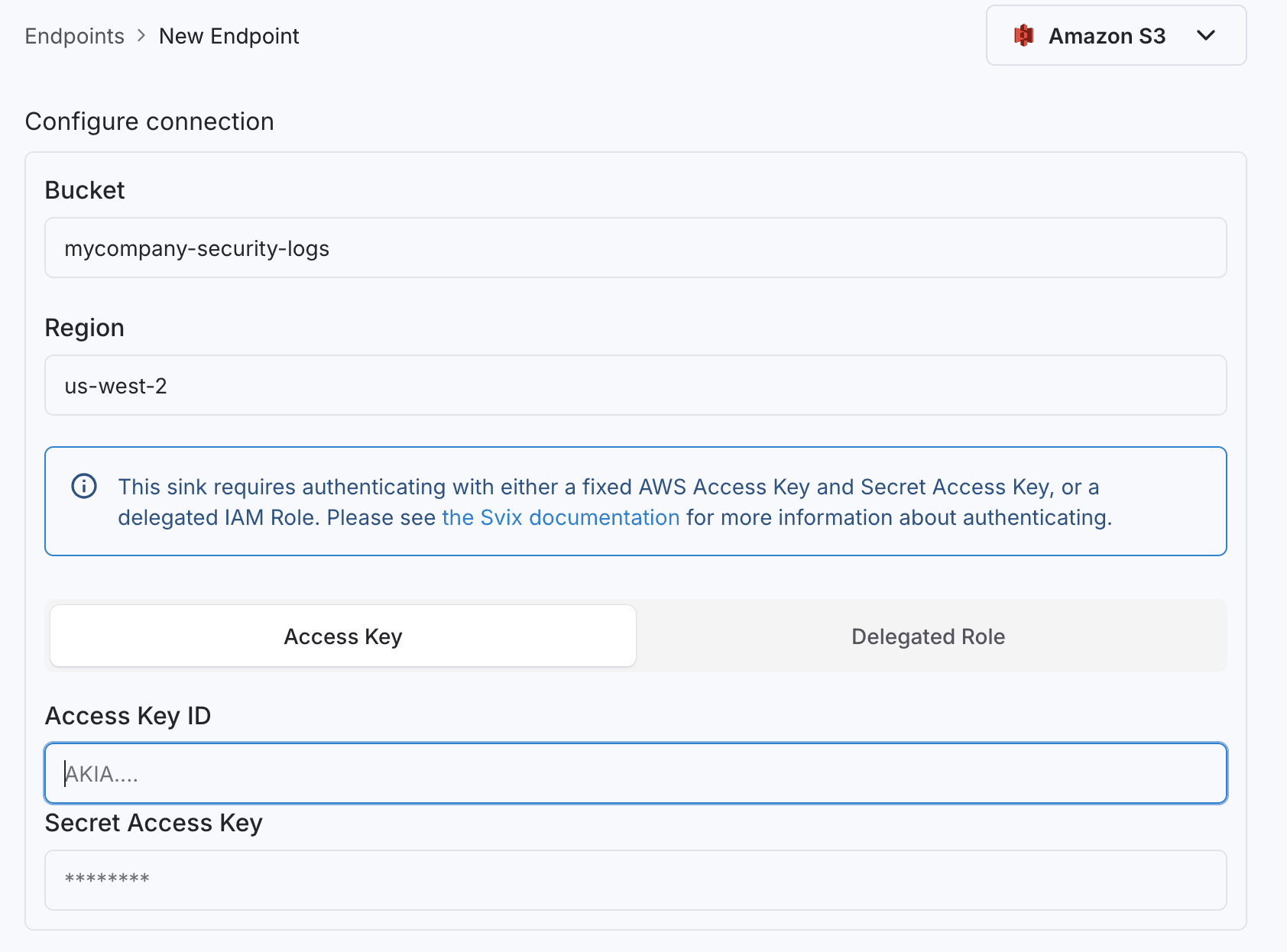
Customers using the Elastic Security project can use Svix’s new ElasticSearch sink to send data to Elastic.
Customers who are using a SIEM that doesn’t natively understand ECS logs can easily reformat them using Svix Transformations configured right in the app-portal on their sink; for example, a customer using the Google Security Operations platform might want their data formatted as UDM instead; they could do this with the following transformation combined with the Google SecOps Webhook feed .
function transformEvent(event) {
  return {
    "metadata": {
      "event_timestamp": event["@timestamp"],
      "event_type": "USER_LOGIN",
    },
    "target": {
      "user": {
        "userid": event.user.id
      }
    }
  };
}

function handler(input) {
  return {
    config: {
        format: "json",
        headers: {},
        method: "POST",
        url: input.url
    },
    data: input.events.map((e) => transformEvent(e.payload)),
    cancel: false
  }
}"#;
Wrapping Up
At this point, your customers should be well-equipped to monitor activity in your system. Please reach out if you have any other questions; the team will be happy to help!