RabbitMQ
Svix can deliver webhooks directly to RabbitMQ, without your customers having to set up any listener endpoint or write any glue code.
When Advanced Destinations is enabled, your customers will see the option to use a RabbitMQ destination in the App Portal.
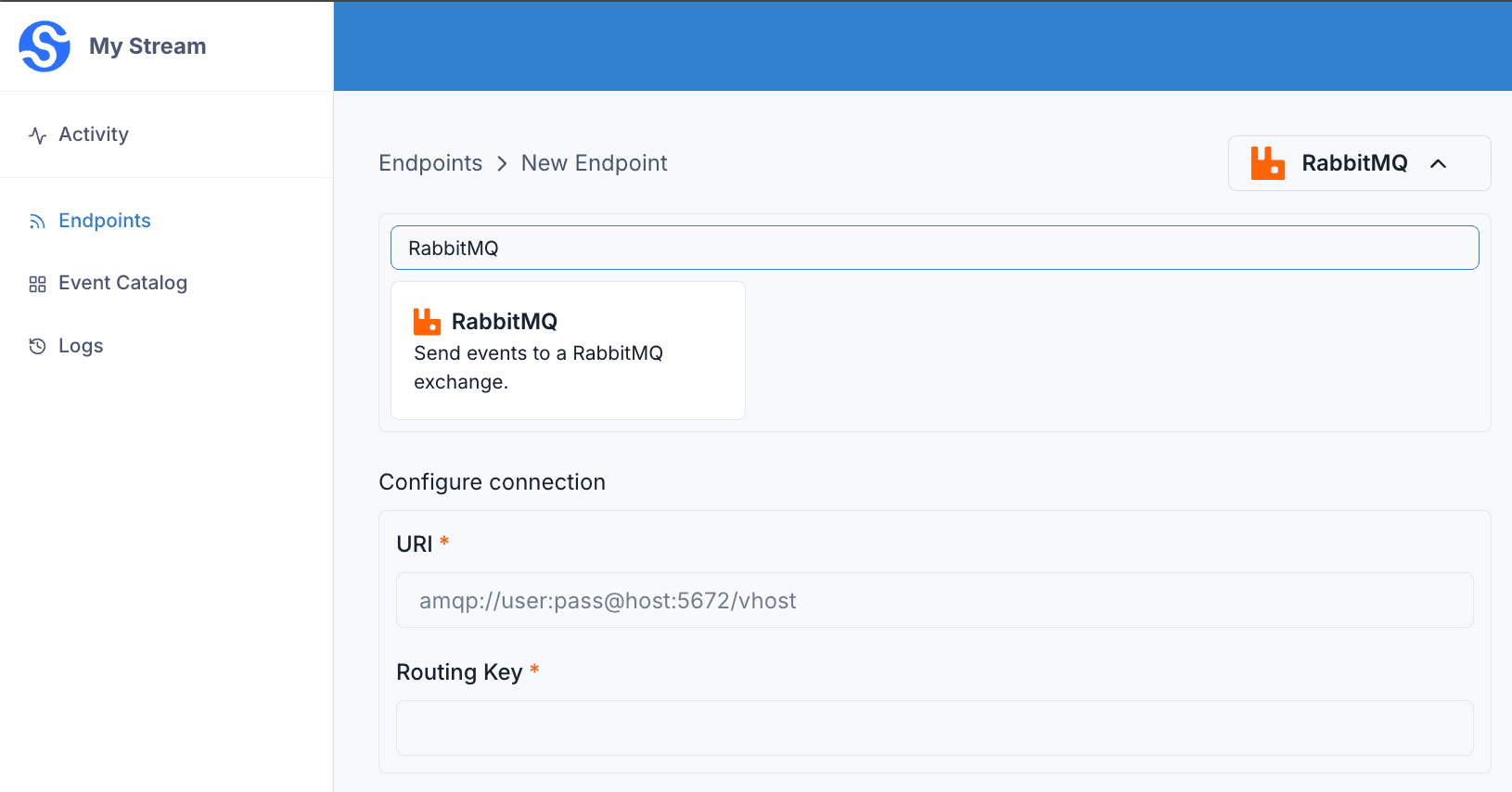
They will be able to configure the connection right in the App Portal:
uri— the AMQP connection URI for your RabbitMQ instance.routingKey— the routing key each message is published with.
Virtual Host
You can specify a virtual host when connecting to your RabbitMQ broker.
The path after the host is the vhost . Omit the path (no trailing slash) to use the default vhost (/). A trailing slash is an empty vhost, not /.
amqp://user:pass@host:5672          → vhost / (default)
amqp://user:pass@host:5672/         → vhost "" (empty, usually rejected)
amqp://user:pass@host:5672/my-vhost → vhost my-vhost
Transformations
By default, all RabbitMQ Destinations come bundled with the following transformation code.
/**
 * @param input - The input object
 * @param input.events - The array of webhooks in the batch. The number of webhooks in the batch is capped by the destination's batch size.
 * @param input.events[].payload - The message payload (string or JSON)
 * @param input.events[].eventType - The message event type (string)
 *
 * @returns Object containing the request body
 * @returns returns.payloads - The array of messages (strings) to send to the destination. Each payload is a distinct message published to RabbitMQ.
 */
function handler(input) {

  const payloads = input.events.map((event) => JSON.stringify(event))

  return {
    payloads
  }
}
input.events is the list of webhooks received by the destination, processed in batches.
Each entry in the returned payloads array is published to RabbitMQ as a separate message. By default, each webhook is serialized to a JSON string containing its payload and eventType.
For example, if the destination receives the following messages:
{
  "eventType": "user.created",
  "payload": "{\"email\": \"joe@enterprise.io\"}"
}
{
"eventType": "user.login",
"payload": "{\"id\": 12, \"timestamp\": \"2025-07-21T14:23:17.861Z\"}"
}The default transformation code would publish two messages to your routingKey, with the following bodies.
{"payload":{"email":"joe@enterprise.io"},"eventType":"user.created"}{"payload":{"id":12,"timestamp":"2025-07-21T14:23:17.861Z"},"eventType":"user.login"}To control the message bodies, return your own array of strings in payloads. Each string becomes one message.